
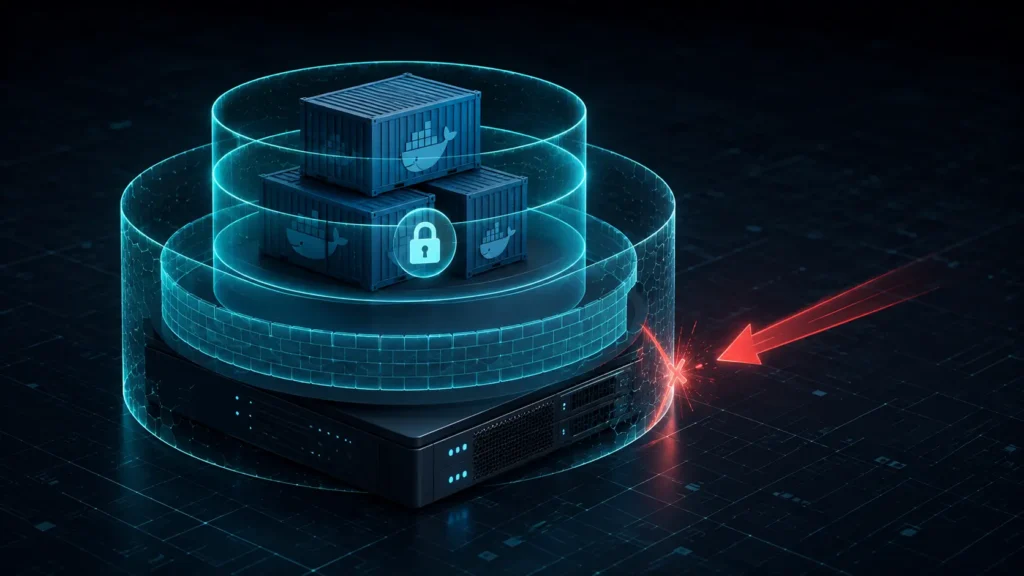
⚡ TL;DR — Key Takeaways
- Mitigating Root Escape Paths: Initiating protocols for hardening Docker daemon configs begins by neutralizing system-level root exposures, as a compromised container operating under default high-level privileges can potentially execute a breakout sequence straight into the host infrastructure with full administrative control.
- Isolating Core User Identities: Enforcing user namespace remapping (
userns-remap) completely detaches containerized root profiles from the actual host root account, effectively blocking the most common container escape path used by threat actors.
- Imposing Host Resource Thresholds: Setting strict hardware resource boundaries prevents a single malfunctioning or exploited container stack from consuming host CPU, memory, or log spaces, isolating the damage before it destabilizes neighboring production workloads.
- Restricting Endpoint Socket Visibility: Hardening system access lines ensures that the local Docker Unix socket—which functions as a direct pathway to administrative host execution—remains completely isolated from unauthorized local accounts and third-party monitoring plugins.
Table of Contents
Out of the box, the Docker engine executes with elevated administrative permissions, and individual container processes automatically initialize as root inside their respective namespaces. This architecture introduces a massive architectural exposure: any threat actor who successfully compromises a running application container can exploit underlying kernel vulnerabilities or host-level misconfigurations to break containment boundaries and seize full administrative command over the host operating system.
Hardening Docker daemon configs systematically dismantles these permissive out-of-the-box defaults, injecting strict kernel-enforced isolation perimeters around your active workloads. Each of the six operational directives detailed in this manual seals an explicit structural exposure left open by standard installation profiles, which consistently prioritize developer convenience over a secure infrastructure posture.
It is an absolute nightmare realizing that a single engineer deploying a microservice with default root access can accidentally provide an attacker with a direct path to annihilate your entire cloud infrastructure. In fast-moving development teams, engineers routinely pull unverified public images, expose dangerous privileges to hit deadlines, or run stacks using the standard --privileged flag. If one of those containers faces the public internet and gets popped via an application-layer vulnerability, the underlying host is instantly compromised. An attacker doesn’t just hijack the app; they inherit full root access to delete system volumes, siphon production database keys, or use your corporate infrastructure to launch secondary attack campaigns.
This deployment manual covers six operational directives in sequence: user namespace remapping, Unix socket access control, disabling default inter-container communications, seccomp and AppArmor profile enforcement, global hardware resource constraints, and the elimination of default runtime privilege escalation paths.
RULE 1: ENFORCING USER NAMESPACE REMAPPING (USERNS-REMAP)
Implementing user namespace remapping stands as the most critical configuration adjustment available for hardening Docker daemon configs against container escape threats. This security control maps the root operator space (UID 0) inside a container down to an unprivileged, restricted user ID on the underlying host operating system. Consequently, if an adversary manages to execute a complete application escape, they land in a low-privilege host shell instead of inheriting absolute administrative machine root access.
To deploy this defense line, create or modify the central daemon configuration file at /etc/docker/daemon.json and append the explicit userns-remap key block:
json

{
  "userns-remap": "default"
}
Assigning the parameter value to "default" instructs the container runtime engine to automatically provision an isolated dockremap system user profile and handle all underlying subordinate UID/GID sub-allocations on the host without requiring manual namespace range mappings. Force the host system to ingest the updated configuration by triggering a clean service restart:
bash

sudo systemctl restart docker
To verify that the remapping perimeter is actively running, deploy a fresh container instance and track its process execution footprint directly from your host terminal process inspector (ps aux). The host process list will display a non-root UID for the container’s execution thread, even though inner microservices still see themselves executing as high-privilege root accounts within the bounds of their localized namespace structure.
RULE 2: LOCKING DOWN THE DOCKER UNIX SOCKET ACCESS LINE
The local Docker Unix socket located at /var/run/docker.sock functions as a high-privilege administrative channel interfacing straight with the container daemon, providing immediate root capabilities across your host system. Any script, user, or process granted write privileges over this specific socket file can instantaneously fire up privileged container nodes, map the root host filesystem into a sub-volume, and completely compromise the host system without needing to execute a container breakout exploit.
To secure this critical pipeline, enforce strict file ownership parameters and folder-level access restrictions via your command line:
bash

bashsudo chown root:docker /var/run/docker.sock
sudo chmod 660 /var/run/docker.sock
Applying this configuration binds write and read visibility solely to the root administrator and verified accounts belonging to the docker user group. Conduct a manual audit of this group’s membership list on a strict, recurring schedule by executing:
bash

getent group docker
Treat this command loop as a major security check, because possessing membership within the docker administrative group is functionally identical to holding unmitigated root access on the host system, making it incredibly dangerous if legacy employee profiles or unvetted automation scripts build up over time as your team composition shifts.
Mounting the host’s raw /var/run/docker.sock path directly inside a running container—a highly dangerous shortcut frequently recommended by third-party logging, container tracking, and CI/CD automation tools—completely invalidates your entire infrastructure defense line. The exact second you map that raw socket into a container, you hand that workload total control over your host machine. If that specific tracking tool faces the internet or contains an unpatched remote code execution vulnerability, an attacker can use the exposed socket to command the parent daemon, spin up a rogue container running with absolute privileges, and steal every piece of enterprise data stored across your production clusters.
If an advanced monitoring utility, performance log aggregator, or automated build runner genuinely demands access to the internal Docker API from inside an isolated container workload, you must deploy a hardened, properly scoped Docker socket proxy. Running an isolated proxy container that filters inbound traffic and blocks dangerous API calls is the only secure way to grant required operational metrics while stopping untrusted processes from wielding unrestricted daemon control.
RULE 3: DISABLING INTER-CONTAINER COMMUNICATION (ICC) BY DEFAULT
By default, Docker’s standard network bridge enables unhindered network traffic between every container sharing that same local link. This default framework applies no network-level isolation between distinct workloads, even when they have absolutely no operational reason to interact. This open behavior significantly widens the horizontal threat surface available to an adversary, allowing them to easily move laterally across your network if they compromise even a minor, low-value container.
To shut down this default network path at the daemon layer, modify your /etc/docker/daemon.json configuration file to include the explicit icc flag set to false:
json

{
  "icc": false
}
Force the runtime container environment to ingest the updated security policy by triggering a clean service reload:
bash

sudo systemctl restart docker
Once inter-container communication is disabled, container workloads grouped on the default bridge network are completely blocked from routing digital network traffic to one another. If specific services genuinely require access, you must explicitly construct isolated, user-defined networks to tie those microservices together. This shift forces every single cross-container interaction to be intentionally designed and documented, rather than permitted by default.
RULE 4: CONFIGURING DEFAULT SECURITY OPTIONS (SECCOMP AND APPARMOR)
Secure computing mode (seccomp) profiles restrict the precise system calls an application container can execute against the underlying host kernel, automatically blocking access to high-risk, rarely required kernel operations. While Docker automatically applies a foundational, pre-configured seccomp template out of the box, reviewing and tailoring these configuration structures to match your specific microservice needs hardens your perimeter further against advanced exploitation attempts.
To enforce a hardened system call policy across your infrastructure, define a custom profile path within your primary /etc/docker/daemon.json configuration file:
json

{
  "seccomp-profile": "/etc/docker/seccomp/custom-profile.json"
}
As a complementary defense layer, AppArmor enforces mandatory access control (MAC) boundaries that limit the explicit system files, network vectors, and administrative capabilities a containerized process can interact with, completely separate from standard Linux file permission states. The container engine automatically binds a default security posture called docker-default on compatible distributions (including Ubuntu environments which ship with AppArmor active natively), and specialized, granular profiles can be manually loaded and pinned to specific high-risk containers requiring tighter runtime restrictions.
When building or auditing custom system call filters and access matrices, engineers should consult Docker’s official security documentation to access the definitive, current syntax layout and validation guidelines. Verifying your customized configuration models against the actively maintained upstream reference repository ensures complete accuracy and prevents runtime execution loops from breaking your production applications.
RULE 5: IMPLEMENTING GLOBAL RESOURCE LIMITS AND LOG ROTATION
An unconstrained container, whether crashing due to an application bug or weaponized by an attacker, can consume unlimited host CPU cycles, memory allocations, or local storage. This resource exhaustion creates a denial-of-service (DoS) condition that directly impacts every other tenant workload sharing the same hardware. Imposing global resource constraints prevents an isolated container compromise from destabilizing your entire host server infrastructure.
To lock down these performance baselines, define global restriction keys and log management rules within your central /etc/docker/daemon.json configuration file:
json

{
  "default-ulimits": {
    "nofile": {
      "Name": "nofile",
      "Hard": 64000,
      "Soft": 64000
    }
  },
  "log-driver": "json-file",
  "log-opts": {
    "max-size": "10m",
    "max-file": "3"
  }
}
The log-opts block establishes a hard capacity ceiling on runtime text output, capping each microservice log file at 10MB and enforcing a rolling archive limit of exactly 3 rotated history files. This setup stops an unexpectedly talkative application error loop or a malicious script from filling up host disk partitions through unbounded console printing. For individual, granular hardware constraints, pass explicit --cpus and --memory enforcement flags at runtime initialization, or define matching resource parameters directly within your docker-compose.yml service configurations.
RULE 6: REMOVING DEFAULT CONTAINER PRIVILEGES (NO-NEW-PRIVILEGES)
Even when user namespaces are remapped and system calls are restricted, a process running inside a container can still potentially elevate its internal permissions at runtime by executing setuid or setgid binaries. This allows an application process to inherit administrative capabilities it did not possess at startup. The no-new-privileges flag stops this specific escalation path directly at the Linux kernel level.
To enforce this boundary globally across all running workloads, add the security flag to your /etc/docker/daemon.json configuration file:
json

{
  "no-new-privileges": true
}
Once this configuration is active, any setuid or setgid binary executed within a container workload is completely blocked from acquiring elevated capabilities beyond what the parent process already holds, regardless of the binary’s underlying permission bits. This closes a subtle, high-risk gap that namespace remapping and standard security profiles do not fully address on their own, targeting runtime privilege escalation vectors rather than initial container boundary enforcement.
TRANSITIONING FROM DAEMON HARDENING TO DOCKER HARDENED IMAGES
Restricting system capabilities at the daemon tier provides robust runtime insulation, but a comprehensive container security strategy also requires hardening your software layers before compilation. Transitioning your project workflows to official, minimal docker hardened images (DHI) strips away unnecessary packages, debugging tools, and shell access vectors that compromise production deployments.
By replacing broad, legacy upstream operating system foundations with verified, distroless base variants, engineers can achieve near-zero CVE metrics right at build time. This leaves your operational runtime monitoring engines focused strictly on application-layer threats rather than fighting known base infrastructure vulnerabilities.
CONCLUSION & OPERATIONS TAKEAWAY
Hardening Docker daemon configs across all six foundational vectors—user namespace remapping, strict socket access restrictions, disabling default inter-container communication, seccomp/AppArmor profile enforcement, global hardware resource allocations, and blocking dynamic runtime privilege escalation—systematically seals the severe architectural exposure holes that Docker’s standard installation defaults leave entirely open. Every independent rule targets a highly specific, distinct infrastructure attack corridor. Skipping even a single directive leaves an open gateway into your host kernel, completely neutralizing the technical effectiveness of your other hardened perimeters.
Implementing structural container protections directly at the engine layer satisfies strict corporate governance and risk management compliance parameters in a way that isolated, manual per-container configuration hacks simply cannot replicate. Because daemon-level adjustments enforce a non-negotiable security baseline consistently across every single workload initialization on the parent machine, they eliminate human error during deployment loops. DevSecOps teams must treat this centralized setup as part of their mandatory core infrastructure rollout templates rather than an optional security pass reserved exclusively for production servers.
Transitioning away from loose container defaults requires maintaining constant visibility over your active environments. What specific runtime scanning utilities, automated compliance checks, or open-source benchmarking suites—such as Trivy, Clair, or the official Docker Bench for Security script—do you routinely run across your pipelines to verify that your active configurations comply with your internal governance policies? Do you manually write and maintain your system profiles from raw text files, build custom policies inside infrastructure-as-code (IaC) repositories, or integrate third-party configuration management tools to audit engine variables automatically? Share your container orchestration playbooks in the comment section below—let’s swap our engineering setups and secure our cloud infrastructure perimeters together!
Related: Implementing NIST Frameworks Using 6 Proven Playbooks to Stop Hacker Threats – A practical guide to implementing NIST frameworks to structure cybersecurity governance, identify risks, strengthen controls, and build a measurable security program.
Disabling Meta AI Training in 4 Proven Steps to Protect Business Data Assets – A practical four-step guide to limiting Meta AI’s access to business content, strengthening privacy controls, and protecting proprietary digital assets from unwanted AI training.
Reporting Business Email Compromise Wire Fraud Via 5 Proven Steps to Freeze Stolen Assets – A practical five-step playbook for responding to business email compromise, freezing fraudulent wire transfers, and strengthening financial controls against repeat attacks.
Building a Startup Risk Register Using 5 Simple Governance Columns – A practical guide to turning a startup’s scattered security concerns into a structured risk register that prioritizes threats, assigns ownership, and supports enterprise-ready governance.
FREQUENTLY ASKED QUESTIONS (FAQ)
Q1. Will applying userns-remap break existing containers or images that assume they are running as true host root?
Yes, this is a frequent issue during infrastructure migrations. Certain container images and volume mount setups rely heavily on standard root file ownership, causing them to fail or throw permissions errors once user IDs are shifted. This friction appears most often with pre-existing host directory bind-mounts that carry strict permissions. You must thoroughly validate user namespace remapping inside a staging sandbox first, as database engines or specialized networking workloads may require explicit host-level UID/GID file adjustments to run properly under the new boundaries.
Q2. Does enabling all six of these hardening rules simultaneously introduce any noticeable system performance overhead?
The computing friction introduced by seccomp system call filtering and AppArmor mandatory access controls is practically unnoticeable for standard production workloads. Both utilities operate straight inside the Linux kernel and are engineered to run at scale with minimal impact. Implementing global hardware resource limits (Rule 5) can alter performance metrics if an application breaches its assigned boundary line, but that represents the intended containment mechanism functioning correctly rather than an unexpected system tax.
Q3. Can I apply these exact hardening rules to a Docker Swarm or Kubernetes cluster, or is this deployment playbook specific to standalone Docker hosts?
While the underlying concept transfers beautifully, the implementation syntax changes across orchestrators. Security controls like seccomp, AppArmor, no-new-privileges, and hardware limits are enforced in Kubernetes using dedicated pod SecurityContext definitions rather than a global machine config file. User namespace remapping inside cluster node environments is also managed directly by the active container runtime (such as containerd or CRI-O). You must treat this guide as a conceptual framework rather than a literal copy-and-paste script for orchestrated environments.
Q4. If I disable default inter-container communication (ICC), how do workloads that genuinely need to pass data still communicate with each other?
You must provision explicit, user-defined custom bridge networks dedicated entirely to the microservices that require mutual data access, isolating them completely from the open default bridge network. Attaching only your tightly linked services to these custom networks converts every cross-application data stream into an intentional, auditable architectural choice, rather than allowing lateral traffic as an accidental side effect of insecure default networking.
Q5. How can I definitively verify that these hardening adjustments are actively protecting my environment instead of sitting idle in my config file?
Trigger a service restart and execute the docker info command in your terminal to validate that your custom seccomp profiles and userns-remap parameters are actively registered by the core engine. For a deep-dive security inspection, execute the official Docker Bench for Security script. This open-source auditing tool runs automated scripts against your operational runtime layer, flagging any daemon configuration rule that is missing or improperly applied to your host.
DISCLAIMER
Educational Notice: This article is published on AI Security Watch strictly for technical educational and general cybersecurity awareness purposes. The configurations and research discussed are based on public threat intelligence data. This content does not constitute professional IT architecture, legal, or financial advice. Because network configurations vary, always verify settings in an isolated test environment or consult with a qualified engineer before modifying live hardware or registries. AI Security Watch contains informational links to external resources; we are not responsible for third-party site accuracy or platform content.