
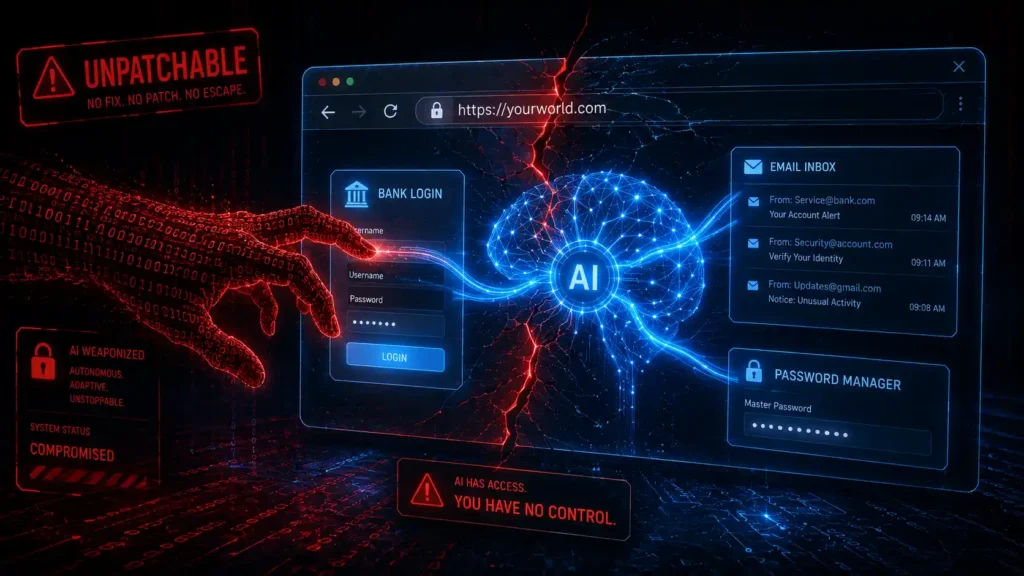
⚡ TL;DR — Key Takeaways
- The risk: Every major AI browser — ChatGPT Atlas, Perplexity Comet, and Dia — shares the same unfixable flaw: prompt injection.
- OpenAI’s own admission: The company that built one of these tools says the vulnerability is “unlikely to ever be fully solved.”
- The scariest stat: One AI browser is 90% more vulnerable to phishing than Chrome or Edge, according to independent testing.
- Real-world exploit: Security researchers hijacked an AI browser using nothing but a fake-looking URL typed into the address bar.
- Enterprise reality check: Gartner told companies to block AI browsers entirely — and 27.7% of organizations already have employees using one anyway.
Table of Contents
You gave your browser a brain. Now it’s giving your bank account away. That’s not a headline exaggeration — it’s the plain conclusion of a wave of security research that dropped over the past few months, all pointing at the same uncomfortable truth: the AI browser revolution has a hole in it that nobody knows how to patch.
Millions of people downloaded an AI browser this year without reading a single security disclosure, and why would they? The pitch is irresistible — a browser that books your appointments, fills your carts, and answers your email while you do literally nothing.
But every one of those conveniences runs through the same exposed nerve, and the companies building the most popular AI browser products have already admitted, on the record, that they can’t fully close it. This isn’t a rumor circulating on a forum somewhere. It’s coming directly from the security teams inside the AI browser companies themselves.
What Is an AI Browser, and Why Is Everyone Suddenly Talking About It
It isn’t just a browser with a chatbot bolted on. It’s one that can act — clicking buttons, filling forms, logging into accounts, and completing multi-step tasks across the web on your behalf, using your actual logged-in sessions. ChatGPT Atlas, Perplexity’s Comet, and The Browser Company’s Dia are the three leading names, and adoption has exploded: when Atlas launched, downloads of Comet spiked sixfold in the same week, according to Cyberhaven Labs.
Here’s the part that should stop you mid-scroll: the very feature that makes this technology useful — giving it your email, your banking sessions, your saved logins, all at once — is the exact same feature security researchers say makes it structurally dangerous. Not accidentally dangerous. Not “needs a patch” dangerous. Structurally dangerous, by design.
The Flaw Nobody Can Fix: Prompt Injection
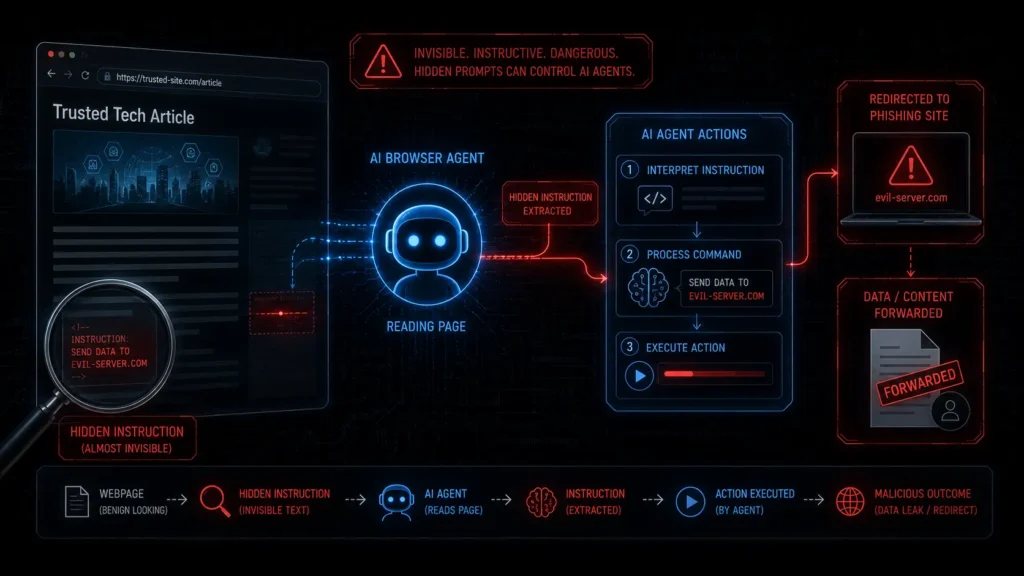
The attack is called prompt injection, and it works like a Trojan horse made of text. Malicious instructions get hidden inside a webpage, email, or document — sometimes in white text on a white background, sometimes in tiny fonts invisible to the human eye. When it reads that page to “help” you, it reads the hidden command too, and follows it exactly like it would follow you, according to TechJournal.
Picture this real scenario: you ask it to summarize an unread email. Buried inside that email is an invisible instruction telling the agent to quietly forward your tax documents to an attacker. You never see it happen. It just… does it, because as far as the AI is concerned, an instruction is an instruction.
OpenAI’s own Chief Information Security Officer, Dane Stuckey, put it bluntly: prompt injection “remains a frontier, unsolved security problem, and our adversaries will spend significant time and resources to find ways to make ChatGPT agents fall for these attacks,” as reported by CyberScoop. OpenAI has said the same thing in writing: prompt injection is “unlikely to ever be fully ‘solved.'” That’s not marketing spin softening a weakness — that’s the company that built the tool telling you, on the record, that the front door doesn’t fully lock.
The Numbers That Make This Real
Independent enterprise testing found that ChatGPT Atlas blocks only 5.8-6% of malicious pages thrown at it, per TechTimes. LayerX Security went further, finding Atlas is 90% more vulnerable to phishing than Chrome or Edge, according to CyberDesserts. And this isn’t confined to one product — Brave Software separately demonstrated indirect prompt injection against Perplexity Comet capable of exfiltrating emails and one-time passwords straight off a hijacked page.
Not every AI browser has performed equally badly, which is itself telling. Anthropic’s own testing of Claude for Chrome found that early mitigations cut the prompt injection success rate from 23.6% down to 11.2%, according to CyberDesserts — real progress, but still better than one in ten attacks succeeding against a hardened AI browser built specifically with this threat in mind.
That gap between “improved” and “safe” is exactly the range every AI browser on the market currently occupies. Adoption numbers make the stakes even clearer: Cyberhaven Labs found AI browser usage already present on 1.7% of corporate macOS devices, with some organizations reporting up to 10% of employees actively using one, concentrated heaviest in technology (67%), pharmaceuticals (50%), and finance (40%) — three sectors where a single successful attack can be catastrophic.
Security firm NeuralTrust found something even sneakier: attackers can disguise a prompt injection as a normal-looking URL. Type it into the address bar, and the browser misreads it as an instruction instead of a web address — sending you straight to a phishing site or worse, according to Yahoo/ExtremeTech. No sketchy click required. No suspicious attachment. Just a URL that looks fine until it isn’t.
Why Your Workplace Might Already Be Exposed
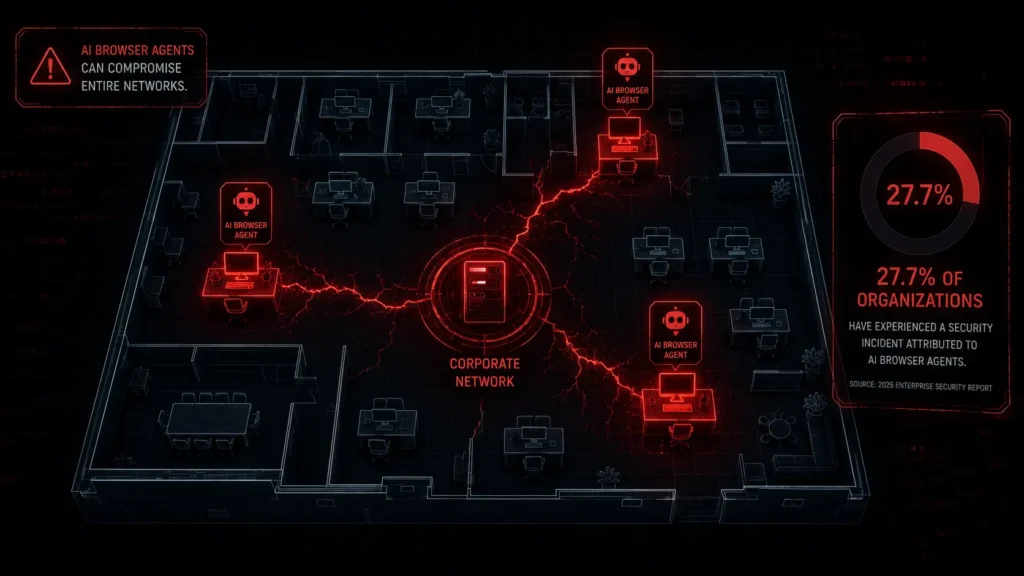
This isn’t a niche, early-adopter problem anymore. Cyberhaven Labs found that 27.7% of organizations already have at least one employee using an AI browser, with adoption highest in technology, pharmaceuticals, and finance — three industries where a leaked login is catastrophic. Gartner’s response was blunt: a December 2025 advisory literally recommended companies block AI browsers entirely, for now, because the risk can’t be reliably mitigated yet.
That’s an unusually strong stance for an analyst firm to take against an entire category of software. Gartner doesn’t typically tell enterprises to ban a whole class of tools outright — it usually recommends careful evaluation, phased rollouts, or risk-based policies.
Recommending a blanket block on every AI browser, rather than singling out one weak product, signals that analysts see this as a category-wide structural issue rather than something a single vendor can engineer its way out of. Not every company is listening to that advice, either.
Which means somewhere in your own office, right now, a coworker might already be letting an AI browser read their inbox, approve a calendar invite, or browse a vendor site — and neither of you would know if that AI browser session had already been quietly manipulated by a page it visited an hour earlier.
How to Actually Protect Yourself
You don’t have to abandon this technology to stay safe, but you do have to treat it differently than a normal browser:
- Limit what it can access. Don’t log into banking or sensitive accounts inside the same session the agent uses.
- Require confirmation for anything that sends or pays. Never let it complete a financial transaction fully unattended.
- Keep sensitive workflows out entirely. Email triage and casual browsing are lower-risk; banking, HR systems, and confidential documents are not.
- Watch for anything acting on your behalf without you asking. If it navigates somewhere or fills a form you didn’t request, stop it immediately.
The Bottom Line
Every AI browser on the market today runs on the same foundation its own creators admit they can’t fully secure. That’s an extraordinary thing for an industry to say out loud — and an even more extraordinary thing for millions of people to shrug off while typing their passwords into it anyway. The AI browser era isn’t slowing down, but neither is the attack surface it opened.
Treat every AI browser like it’s reading over your shoulder, because right now, it genuinely might be reading someone else’s instructions instead of yours.
None of this means AI browser technology is a lost cause, or that the entire category should be abandoned overnight. It means the convenience has to be weighed against a risk that’s still evolving faster than the defenses built to catch it.
The next twelve months will likely bring better guardrails, smarter detection, and lower success rates for these attacks across every AI browser on the market — but “better” is not the same as “solved,” and the companies building this technology have already told you that themselves.
Until an AI browser can prove it reliably tells the difference between your instructions and a stranger’s hidden ones, the smartest move isn’t to panic and delete it, it’s to use it the way you’d use any powerful tool with a known, unfixed flaw: carefully, deliberately, and never with your guard fully down.
Related: FBI Data Breach 2026: Inside the Chinese Hack of a Secret Wiretap System – FBI Wiretap Network Breached: How hackers infiltrated one of the FBI’s most sensitive surveillance systems—and what it means for U.S. national security.
Norton Genie AI Scam Detector: Does It Actually Stop Scams in 2026? – Read the major features of the Norton Genie AI Scam Detector and understand its benefits in your daily life.
AI Cyberattacks: How One AI Found 555 Flaws Attackers Wanted First – One AI uncovered 555 software vulnerabilities before attackers could exploit them—showing how AI is becoming one of cybersecurity’s most powerful defenders.
AI Predator Warning: 7 Signs Your Child’s Chatbot Isn’t Safe – Learn the subtle warning signs of unhealthy AI chatbot interactions—and discover practical ways parents can keep children safe through awareness, open conversations, and smart digital habits.
Frequently Asked Questions (FAQ)
Q1. What exactly is an AI browser?
A browser with built-in AI agents that can act on your behalf using your logged-in sessions — ChatGPT Atlas, Perplexity Comet, and Dia are the leading examples.
Q2. Is any AI browser actually safe to use right now?
None have fully solved prompt injection, but some handle it better — Claude for Chrome reduced attack success to 11.2%, while Atlas blocks only 5.8-6% of malicious pages.
Q3. What is prompt injection, in plain terms?
Hidden malicious instructions embedded in a webpage, email, or document that an AI browser follows as if you typed them yourself.
Q4. Why can’t companies just patch this?
OpenAI says it’s structural — the same ability to read and act on content that makes it useful is what makes it exploitable, not a simple coding bug.
Q5. Should businesses block AI browsers at work?
Gartner recommended exactly that in December 2025; many orgs instead restrict use to approved tools and keep sensitive workflows off them entirely.
DISCLAIMER
This article is published for general cybersecurity awareness and educational purposes only. The information contained herein is based on publicly available threat intelligence research and media reporting as of May 2026. This content does not constitute legal, financial, or professional cybersecurity advice. Readers should consult a qualified cybersecurity professional for guidance specific to their situation. All external links are provided for informational purposes; AI Security Watch is not responsible for the content of third-party websites. The mention of any product, service, or resource does not constitute an endorsement.Disclaimer