
⚡ TL;DR — Key Takeaways
The exposed repository risk: Prevent API key leakage when building local AI applications by treating every plaintext key in your project folder as a liability the moment it’s written.
Local environment abstraction:.env files and python-dotenv keep secrets out of your source code, loaded at runtime instead of hardcoded.
Automated pre-commit scanning: Tools like GitLeaks and TruffleHog intercept commits containing raw secrets before they ever leave your workstation.
Vault remediation workflows: Shell-level exports and encrypted secret vaults remove configuration files from project folders entirely for headless and production environments.
Table of Contents
GitGuardian’s “State of Secrets Sprawl 2026” report found that 28.65 million new hardcoded secrets were added to public GitHub commits in 2025 alone, a 34% year-over-year increase and the largest single-year jump the company has recorded (source: GitGuardian, “The State of Secrets Sprawl 2026”). AI service credentials specifically are the fastest-growing category, with an 81% year-over-year increase in 2025, and commits made with AI coding assistants leak secrets at roughly 3.2%, about double the GitHub-wide baseline (source: GitGuardian, “AI-Service Leaks Surge 81%”). Once a key leaks, remediation is often far too slow: the same report found that 64% of secrets confirmed valid in 2022 were still exploitable in January 2026, four years later.
Developers building local AI setups, raw Python or Node.js scripts connecting directly to OpenAI or Anthropic endpoints, are squarely inside this trend. Pasting a plaintext API key into a project root during a quick prototyping session is exactly the pattern driving this surge, and a single git push to a public repository is enough to expose it permanently.
Automated bots scan public GitHub commits continuously, and a live key can be found, tested, and abused within minutes of exposure, often before a developer even notices the commit went through. This is why you need to prevent API key leakage when building local AI applications from the very first line of code, not retrofit security after a prototype becomes a real project.
If you have never accidentally committed a live, unrestricted secret token to a public GitHub repository, it is hard to describe the sheer panic that hits you when your phone starts blowing up with automated alerts. I still remember the time I accidentally pushed an active, unthrottled OpenAI API key in a test script; within 45 seconds, automated crawling bots had scraped the repository, duplicated the string, and spun up high-throughput generation tasks that racked up hundreds of dollars in API overages before I could hit the revoke button. It is a brutal lesson that completely destroys any belief that your early-stage public repos are hidden from view.
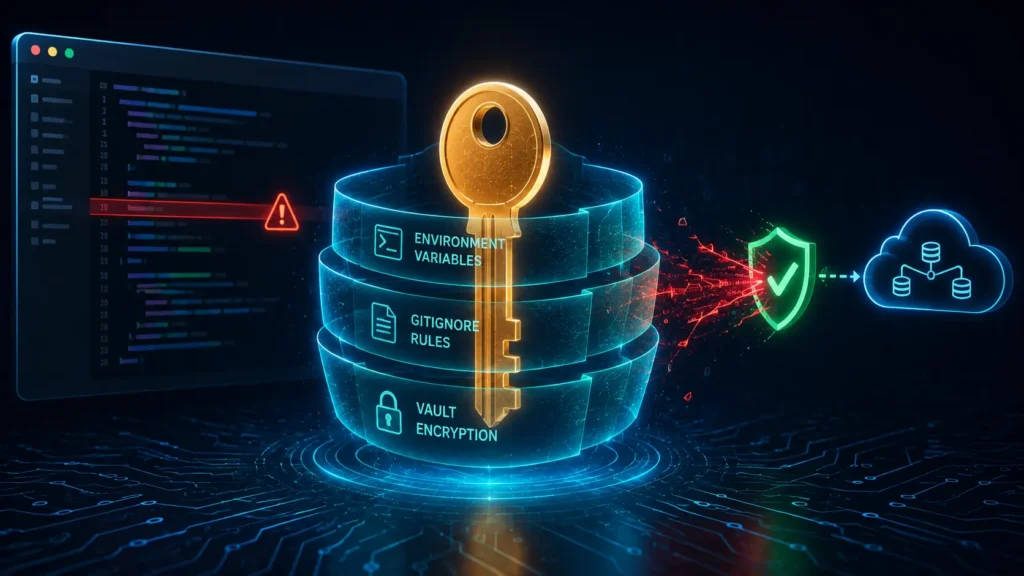
This guide covers five rigid rules: environment file isolation, gitignore perimeters, automated pre-commit scanning, shell-level exports for headless servers, and encrypted vaults for production.
Rule 1: Isolating Secret Tokens via Local Environment Files
The first rule is simple: your API keys should never appear as literal strings inside your Python or JavaScript source files. A .env file separates configuration from code entirely.
Create a .env file in your project root:
bash

OPENAI_API_KEY=sk-your-actual-key-here
ANTHROPIC_API_KEY=sk-ant-your-actual-key-here
Install python-dotenv to load it into your application:
bash

pip install python-dotenv
Load the variables in your Python script:
python

import os
from dotenv import load_dotenv

load_dotenv()

openai_key = os.getenv("OPENAI_API_KEY")
anthropic_key = os.getenv("ANTHROPIC_API_KEY")

if not openai_key:
    raise EnvironmentError("OPENAI_API_KEY not found in environment.")
Your source code now references openai_key, never the raw string itself. The actual secret lives only in the .env file, which the next rule ensures never reaches version control.
Rule 2: Implementing Mandatory Global GitIgnore Perimeters
A .env file does nothing to protect you if it still gets committed to git. This rule locks that door explicitly, before you write a single line of application code.
Create or edit .gitignore in your project root:
gitignore

# Environment and secrets
.env
.env.local
.env.*.local
*.pem
*.key

# Logs that may contain sensitive request data
*.log
logs/

# Local config overrides
config.local.json
secrets/
If you’ve already initialized git before adding this file, check whether .env was previously tracked:
bash

git ls-files | grep .env
If it returns a result, untrack it without deleting the local file:
bash

git rm --cached .env
git commit -m "Remove .env from version control"
This removes it from future commits, but as covered in the next rule, it does not erase it from your git history.
Rule 3: Deploying Local Git Hooks with GitLeaks for Automated Pre-Commit Interceptions
Manual discipline fails eventually. A pre-commit hook running GitLeaks catches secrets automatically, blocking the commit before it’s even created, regardless of whether you remembered to check.
Install GitLeaks:
bash

# macOS
brew install gitleaks

# Linux (via Go)
go install github.com/gitleaks/gitleaks/v8@latest
Create the pre-commit hook file:
bash

touch .git/hooks/pre-commit
chmod +x .git/hooks/pre-commit
Add this script to .git/hooks/pre-commit:
bash

#!/bin/bash
echo "Running GitLeaks secret scan..."
gitleaks protect --staged --verbose

if [ $? -ne 0 ]; then
  echo "GitLeaks detected a potential secret. Commit blocked."
  exit 1
fi
Test it by staging a file with a fake key pattern and attempting a commit; GitLeaks should block it and print the detected match.
Let me hand you an explicit, non-negotiable warning that catches countless self-taught developers off guard: Git history forgets absolutely nothing by default. Simply opening a source file, deleting your hardcoded API string, making a new commit that says ‘fixed key exposure,’ and pushing it to GitHub does absolutely nothing to secure your system. Anyone can look at your repository’s historical commit graph, click on the older commit hash, and view your plaintext credential string sitting right there in plain sight. If a secret has entered a git repository tree, you must treat it as permanently compromised and rotate it immediately.
If a key was already committed in a previous commit, removing it from the current file isn’t enough. Use git filter-repo or BFG Repo-Cleaner to scrub it from history entirely, then rotate the key regardless, since a scrubbed local history doesn’t undo any prior public exposure.
Rule 4: Standardizing Shell-Level Environment Exports for Headless Servers
For headless servers or long-running local setups, even a .env file sitting in a project folder is one misconfigured backup or shared filesystem away from exposure. Defining keys at the shell profile level removes the file from the project directory entirely.
Add this to ~/.bashrc or ~/.zshrc:
bash

export OPENAI_API_KEY="sk-your-actual-key-here"
export ANTHROPIC_API_KEY="sk-ant-your-actual-key-here"
Reload the shell configuration:
bash

source ~/.bashrc   # or source ~/.zshrc
Your Python script accesses these identically through os.getenv, with no .env file or python-dotenv dependency required at all:
python

import os

openai_key = os.getenv("OPENAI_API_KEY")
This approach keeps secrets scoped to the user profile on the machine itself, rather than living inside any project folder that could accidentally get zipped, backed up, or copied into a new repository.
Rule 5: Securing Production Pipelines with Encrypted Secret Vaults
Shell exports work for a personal headless server, but production and team environments need centralized, auditable secret management. Container orchestration tools provide this natively.
For Docker, use Docker secrets instead of environment variables baked into the image:
bash

echo "sk-your-actual-key-here" | docker secret create openai_api_key -
Reference it in your docker-compose.yml:
yaml

services:
  ai-app:
    image: your-app-image
    secrets:
      - openai_api_key
    environment:
      OPENAI_API_KEY_FILE: /run/secrets/openai_api_key

secrets:
  openai_api_key:
    external: true
Your application reads the key from the mounted secret file path rather than a standard environment variable, keeping it out of docker inspect output and process environment dumps.
For systemd-managed services, use an environment file with restricted permissions instead:
bash

sudo nano /etc/myapp/secrets.env
sudo chmod 600 /etc/myapp/secrets.env
Reference it in your service unit file:
ini

[Service]
EnvironmentFile=/etc/myapp/secrets.env
For larger teams, a dedicated secrets manager like HashiCorp Vault or AWS Secrets Manager adds rotation policies, access logging, and revocation, capabilities none of the earlier rules provide on their own.
Conclusion
Learning to prevent API key leakage when building local AI applications comes down to five layered habits: isolating secrets in environment files, blocking them from git with a proper .gitignore, catching mistakes automatically with pre-commit scanning, moving credentials out of project folders on headless servers, and using real secret vaults in production. Skipping any one of these rules leaves a specific, exploitable gap the others were built to close.
Credential isolation is foundational for a zero-trust development lifecycle, not an afterthought bolted on once a prototype becomes a real product. Every key you generate should assume, from the first line of code, that plaintext storage anywhere in a project folder is a leak waiting to happen.
Securing your environment requires a layered configuration approach that moves completely past simple manual code reviews. What specific secret-scanning tools or local pre-commit hooks are you utilizing to secure your modern development workspaces? Do you run local GitLeaks binary sweeps, deploy containerized Docker secrets matrices, or manage environment profiles entirely upstream using cloud-native key vaults? Drop a comment in the box below and share your credential-hardening strategies—let’s share our bash hooks and build more secure development pipelines together!
Related: Blocking AI Data Scraping on Shopify Stores Via 5 Proven Steps to Stop Theft – Learn how to block AI data scraping on Shopify stores, protect valuable product content, and control unwanted automated access to your online store.
Open-Source LLM Guardrails to Secure Your Custom Chatbots Using 3 Powerful Security Frameworks to Stop Hack Risks – Explore open-source LLM guardrails that help protect custom chatbots from prompt injection, unsafe outputs, data leaks, and other AI security threats.
Configuring Linux Firewalls to Restrict External Access Via 6 Rigid Rules to Defeat Hack Threats – Learn how to configure Linux firewalls to block unauthorized external access, reduce attack surfaces, and allow only trusted network connections.
Check If Your Personal Emails Were Leaked in 4 Hardened Steps to Neutralize Cyber Risks – Find out whether your email has been exposed in a data breach—and follow four practical steps to lock down your accounts before leaked credentials become a bigger security threat.
Frequently Asked Questions (FAQ)
Q1. If I already exposed a key on GitHub but deleted the repository entirely, is that key still at risk?
Yes, deleting the repository doesn’t guarantee the key was never scraped, since automated bots and scanning services can index exposed secrets within seconds of a public push, well before you’d think to delete anything. Treat any key that was ever committed to a public repo as compromised permanently, and rotate it regardless of what you did to the repository afterward.
Q2. Do these same protections apply if I’m using a Jupyter notebook instead of a standard Python script?
Yes, but notebooks add an extra risk: cell output can retain a printed key even after you remove the line of code that generated it, since the output is saved separately in the .ipynb file’s JSON structure. Clear all outputs before committing (Cell > All Output > Clear or jupyter nbconvert --clear-output), and still route your actual key through .env and os.getenv rather than typing it directly into a cell.
Q3. Can GitLeaks or TruffleHog cause false positives that block legitimate commits, and how do I handle that?
Yes, both tools can occasionally flag high-entropy strings that aren’t actually secrets, like long hashes, UUIDs, or test fixtures. Most tools support an allowlist or inline ignore comment (GitLeaks supports a .gitleaksignore file) so you can whitelist specific known-safe strings without disabling the scanner entirely.
Q4. What should I actually do in the first five minutes after realising I’ve leaked a live API key?
Revoke or regenerate the key immediately from your provider’s dashboard (OpenAI’s API Keys page or Anthropic’s Console), since this invalidates it faster than removing it from git history ever could. Check your usage/billing dashboard next for any unexpected activity, and only then worry about cleaning the exposed commit from your repository history.
Q5. Are there differences in how OpenAI and Anthropic handle detected leaked keys on their end?
Both providers run automated scanning partnerships with GitHub’s secret scanning program and will typically auto-revoke a key detected in a public commit, often within minutes, sometimes emailing you a notification after the fact rather than before. Relying on provider-side detection as your only safety net is risky, though, since it depends on the leak being in a scannable public location and doesn’t cover internal or private repository exposure.
DISCLAIMER
Educational Notice: This article is published on AI Security Watch strictly for technical educational and general cybersecurity awareness purposes. The configurations and research discussed are based on public threat intelligence data. This content does not constitute professional IT architecture, legal, or financial advice. Because network configurations vary, always verify settings in an isolated test environment or consult with a qualified engineer before modifying live hardware or registries. AI Security Watch contains informational links to external resources; we are not responsible for third-party site accuracy or platform content.
Onlime